A Standard Audit Flow
Get every team working from the same form structure and audit steps so process quality stays consistent.
Task360 brings paper-based and scattered audit processes onto one platform with digital forms. Teams record findings faster in the field, surface issues instantly, and manage audit results with greater control.
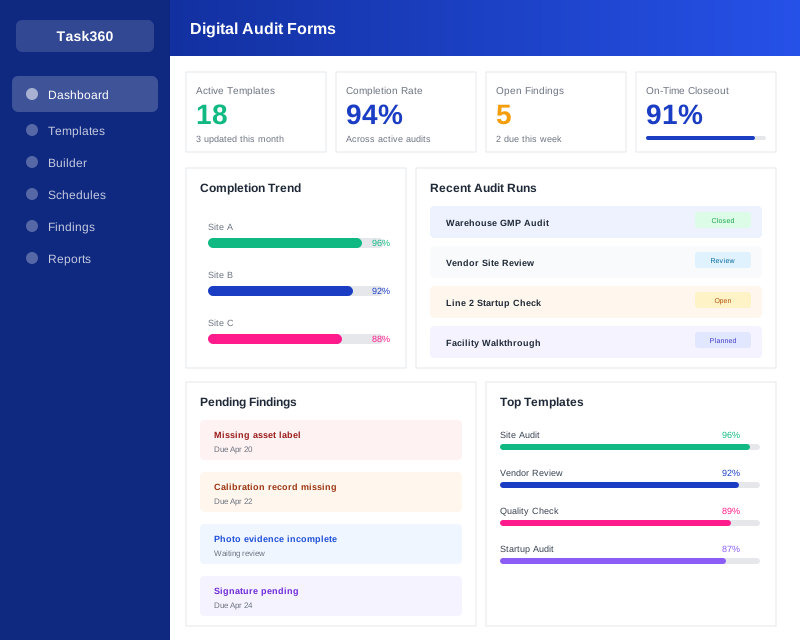
When audit processes drift from a clear standard, missing records, inconsistent practices, and delayed actions become unavoidable. Digital audit forms ensure every team runs each check to the same standard, captures findings instantly, and keeps follow-up fully visible.
Get every team working from the same form structure and audit steps so process quality stays consistent.
Capture findings on the spot with photos, notes, dropdowns, and required fields, and cut the after-the-fact data entry workload.
Track audit results, gaps, and corrective actions in one place to keep the process under control.
When audits run on paper forms, scattered files, or fragmented tools, it becomes impossible to see which checks are complete, which findings are recorded, and which actions are still pending. The result is missing documentation, slow follow-up, and audit quality that varies from team to team.
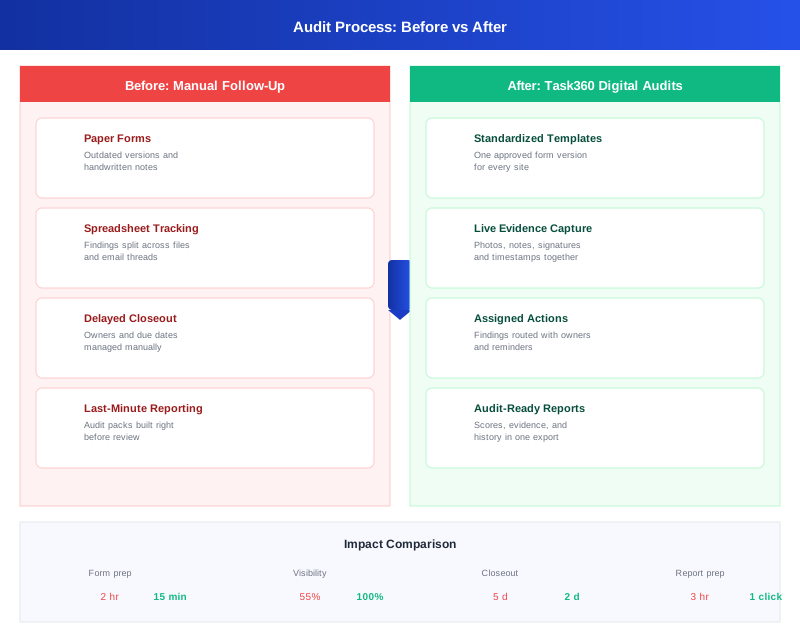
Task360 turns digital audit forms into more than a recording tool; they become a standard execution and follow-up structure that teams use every day. Build forms, set required fields, collect data in the field, and link audit results to corrective actions.
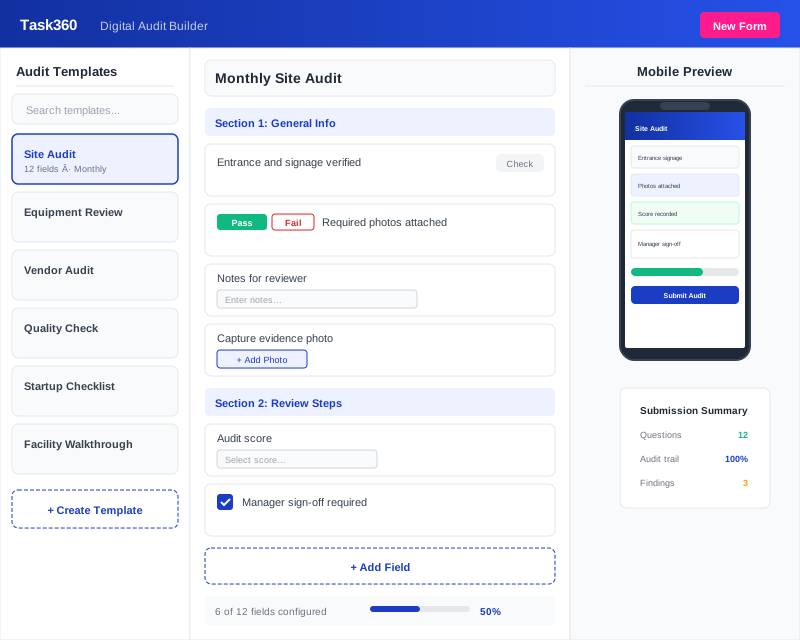
When audit processes go digital and standard, the impact shows up not just in form quality, but in operational discipline. Teams move faster, record quality improves, and the follow-up on open items stays under control.
A standard form structure and on-the-spot data entry keep audits moving smoothly.
Required fields and structured forms help reduce missing or inconsistent records.
When findings and follow-ups sit in one place, action closeout becomes easier to manage.
Checklist and audit management software helps teams plan, run, follow up on, and record audits more easily. Task360 turns paper-based processes into digital workflows so audits become more standard and traceable.
Yes. Task360 lets you build forms tailored to safety inspections, site walks, quality audits, hygiene checks, and operational checklists.
Yes. Teams can complete checklists on a mobile device in the field, add notes, upload photos, and submit results to the system instantly.
When an issue is flagged during an audit, the finding is recorded and the follow-up process becomes more visible. That way, teams can launch the required actions faster.
Yes. Completed audits, results, notes, and images are all kept on record. That lets teams review past audits, spot recurring issues, and improve their processes.
See in a short demo how Task360 standardizes audit forms, speeds up data capture in the field, and makes follow-up much more visible.